
FC Fluent Anonymous FeedBox Pro
Members can safely post anonymous messages, stories, or confessions inside any space — while admins maintain full moderation control through a pending review system. The plugin creates a seamless “📝 Anonymous” button on community spaces, a friendly front-end submission form, and a simple WordPress dashboard interface for managing pending feeds, approving, or deleting them.
Fluent Anonymous FeedBox Pro brings anonymous and moderated feed creation to your FluentCommunity spaces.
Members can safely post anonymous messages, stories, or confessions inside any space — while admins maintain full moderation control through a pending review system.
The plugin creates a seamless “📝 Anonymous” button on community spaces, a friendly front-end submission form, and a simple WordPress dashboard interface for managing pending feeds, approving, or deleting them.
It’s perfect for closed communities, schools, startups, and social circles that value open expression with admin oversight.
✨ Key Features
| Feature | Description |
|---|---|
| 📝 Anonymous Posting | Allow members to post anonymously using a designated “Primary User” identity. |
| ⏳ Pending Review Queue | All posts go into an approval queue before being published. |
| ⚙️ Customizable Settings | Choose your default space, anonymous user ID, and toggle the feature on/off. |
| 📩 Email Notifications | Admins receive instant email alerts when a new post is submitted. |
| 👨💻 Admin Moderation Panel | Approve or delete pending feeds directly from the WordPress dashboard. |
| 💬 Front-End Integration | Adds a “📝 Anonymous” button directly in FluentCommunity space headers. |
| 🧩 Auto-Generated Feed Form | The plugin automatically creates create-feed.php for front-end submissions. |
| 🧠 Smart Role Check | The “Anonymous” button only appears for logged-in space members. |
| 📚 Built-in Documentation Page | Access detailed usage, setup, and FAQs inside your WordPress admin. |
| 🔔 Activity Tracking (optional) | Tracks which users submitted each anonymous post for moderation transparency. |
💎 Benefits
🎭 1. Safe Expression, No Fear
Let users share ideas, confessions, or suggestions without public identity — ideal for internal communities, peer support, or feedback loops.
🧠 2. Maintain Full Control
Admins approve each post before it’s published. Nothing goes live without review.
⚙️ 3. Plug & Play Simplicity
Activate, configure default IDs and spaces, and you’re done — no manual setup or shortcodes required.
📩 4. Stay in the Loop
Instant email notifications alert administrators whenever a new anonymous post is submitted.
🌐 5. Seamless FluentCommunity Integration
Works natively with FluentCommunity, showing the Anonymous button only to space members.
🔐 6. Privacy + Accountability
Anonymous to the public, but every post is internally linked to the submitting user ID (for moderation safety).
📦 Example Workflow
- Admin Setup
- Go to FeedBox Settings
- Set:
- Primary User ID (your anonymous user)
- Default Space ID
- Toggle “📝 Anonymous” ON
- Member Submission
- User visits a FluentCommunity space they belong to.
- Clicks 📝 Anonymous
- Fills form → Submits → Post goes to “Pending Review.”
- Admin Moderation
- Admin opens FeedBox Pending → Pending Feed Submissions
- Approves or deletes post.
- Approved posts auto-publish into the correct FluentCommunity space.
🧑💻 Ideal Use Cases
- 🎓 Campus or student community platforms
- 🏢 Corporate suggestion boxes
- 💬 Private support or therapy communities
- 🔒 Closed interest groups or feedback spaces
- 🧍♀️ Peer advice & confession walls
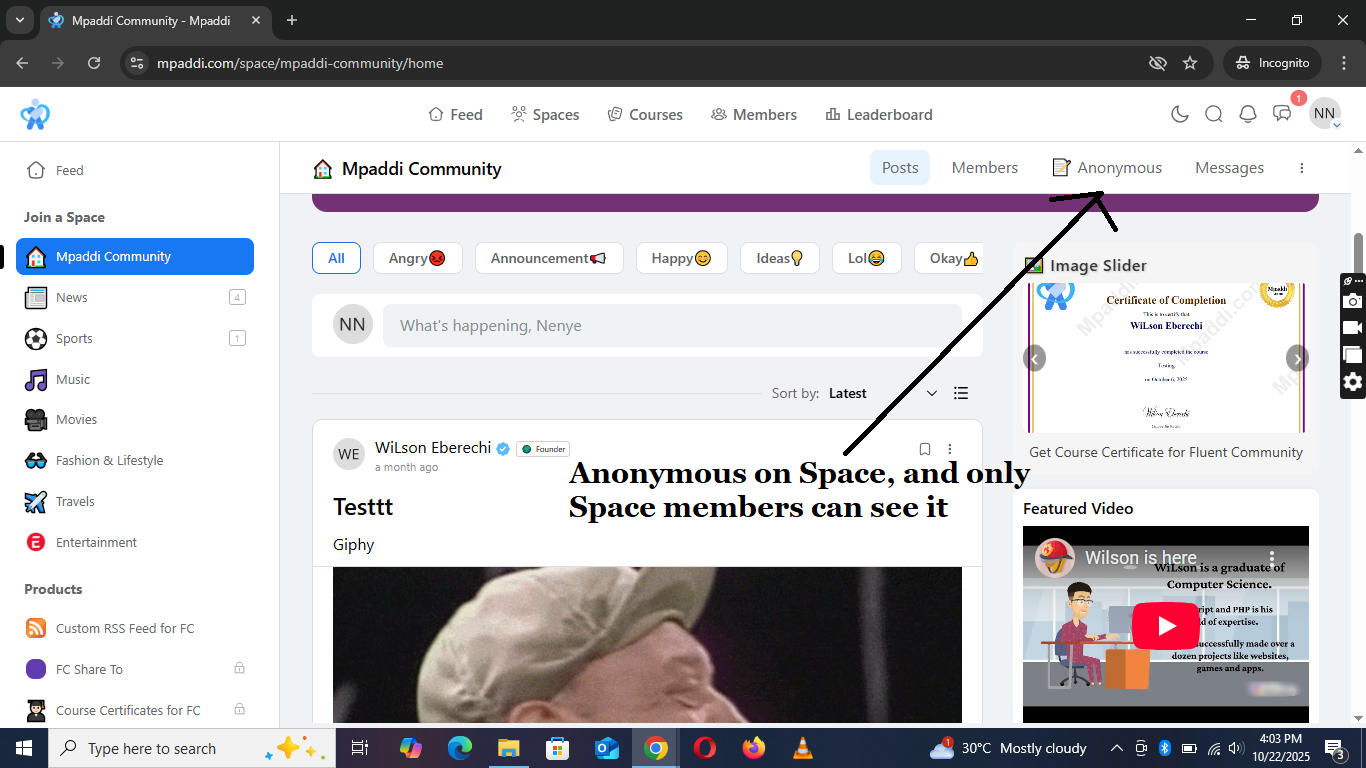
Anonymous on Space
Displays Anonymous on Space
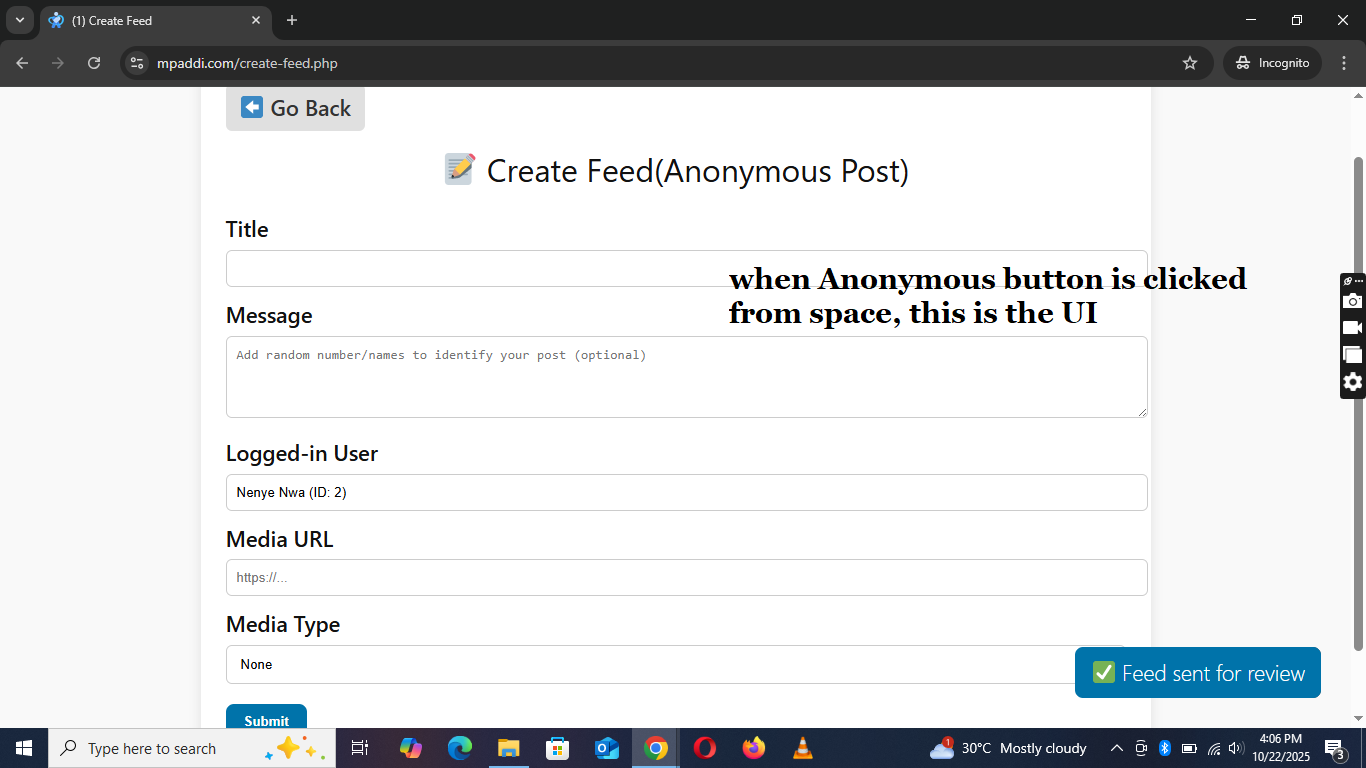
Anonymous form
Form to make an anonymous posts
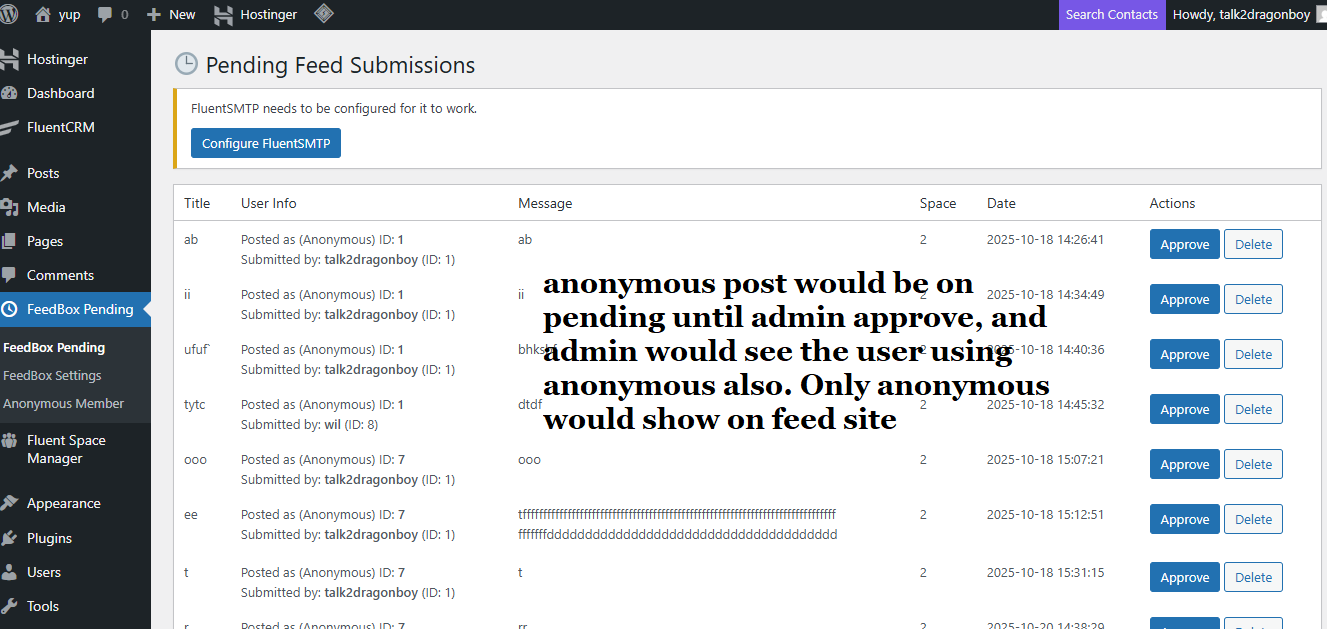
Pending Feed
Pending Anonymous post for admin review
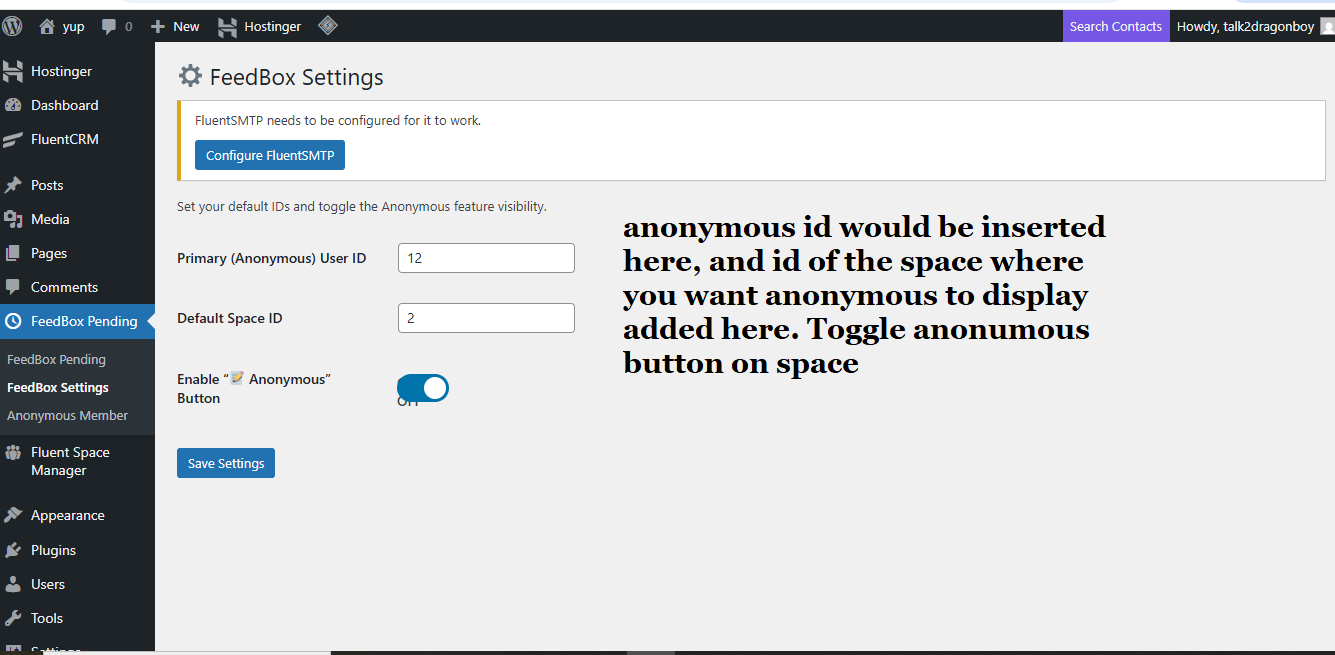
Anonymous Settings
Admins has full control
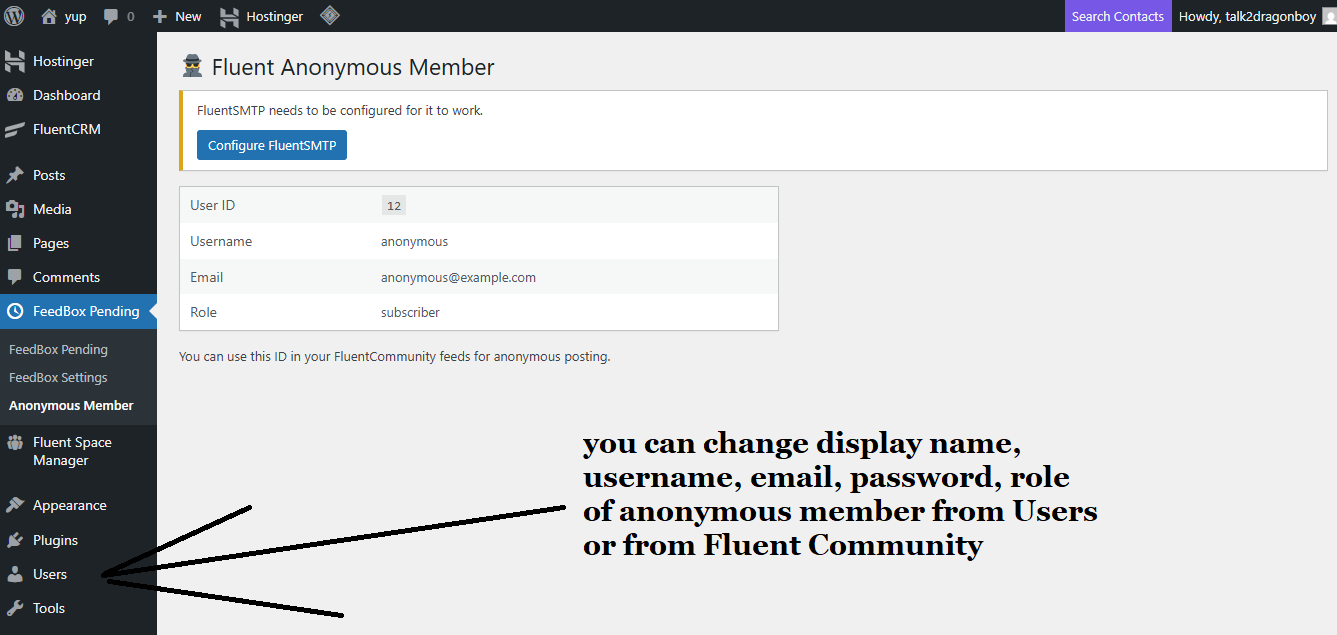
Anonymous Generation
The anonymous is auto generated
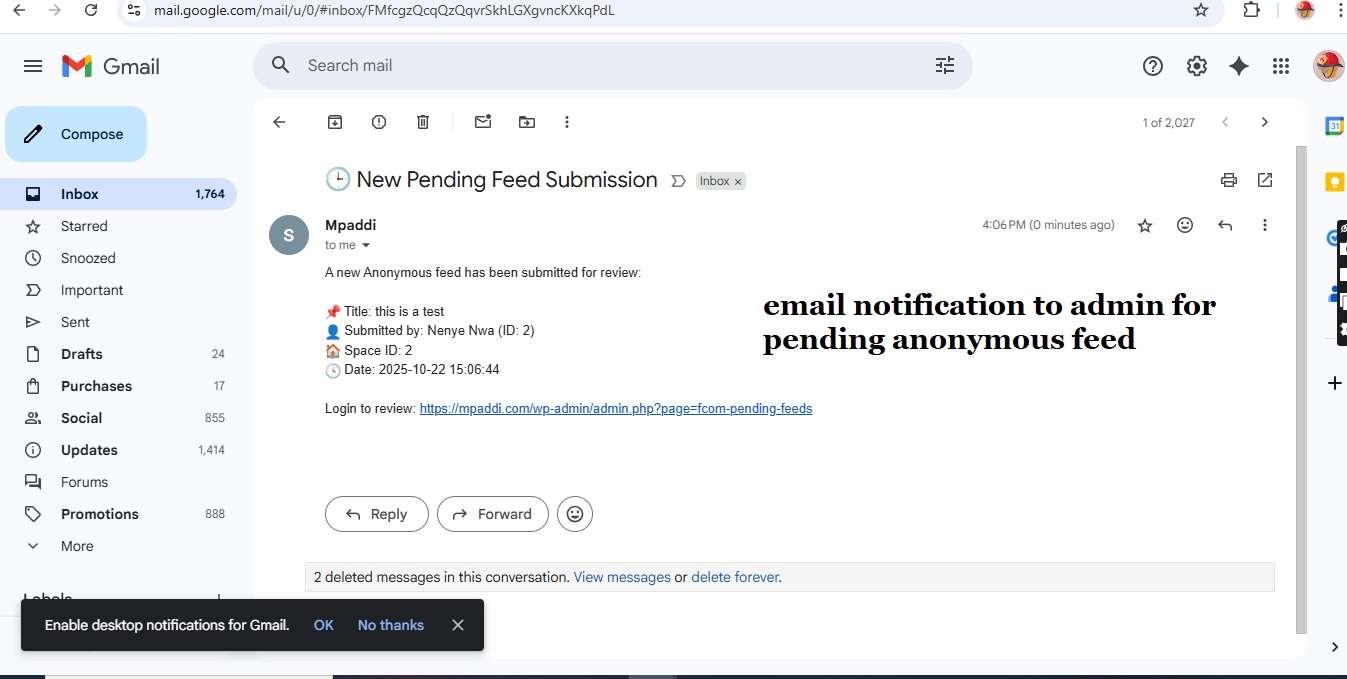
Email notification
Admin gets notified via email
Related Products

Community Sidebar for FluentCommunity
Community Sidebar transforms the FluentCommunity sidebar into a dynamic, interactive community hub with member discovery, space recommendations, online member activity, trending topics, daily inspiration, promotional banners, and featured video content—all managed from one clean WordPress admin area. Community Owners can earn money by promoting people, paid banners on image slider, featured videos, paid spaces.

Course Certificates
Course Certificates is a premium WordPress plugin that automatically generates beautiful, personalized PDF certificates when a student completes a course. Built specifically for the Fluent Community platform, it helps course creators, educators, and membership site owners celebrate student achievements instantly — no manual work required.

FC Auto Space Join
👋 FC Auto Space Join & Welcome Post. The plugin automatically enrolls newly registered users into a selected FluentCommunity space after their first login (email verification) and optionally publishes a welcome post inside that space. Can choose between instant welcome posts for real-time engagement or delayed batch welcomes to group new members into a single announcement.

FC Feed Restrictor
Restrict the FluentCommunity main feed to display posts only from Spaces a user has joined. Improve privacy, content relevance, and community structure.
FC Gamification
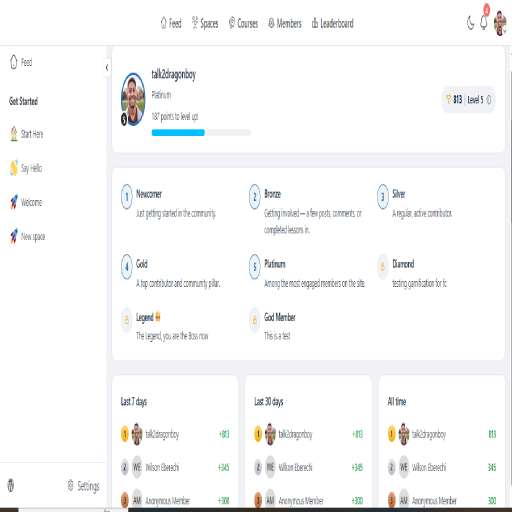
Automatically award or deduct points for registrations, spaces, posts, comments, reactions, courses, lessons, quizzes, video calls, certificates, purchases, subscriptions, forms, sharing and more. Create custom levels, leaderboards, targeted space/course bonuses, daily caps, email notifications, FluentCRM automations, manual rewards, detailed points logs, and built-in backup and diagnostics — all from one powerful gamification system.

FC RSS Feed
FluentCommunity runs on its own portal, which means its posts don’t appear in the standard WordPress RSS feed. This plugin solves that by generating a dedicated RSS feed for FluentCommunity posts, making it easy to: Share forum updates automatically to social media (e.g., Facebook, Twitter, LinkedIn). Allow subscribers to stay updated with new community posts. Integrate with automation tools like IFTTT, Zapier, or FlowMattic.