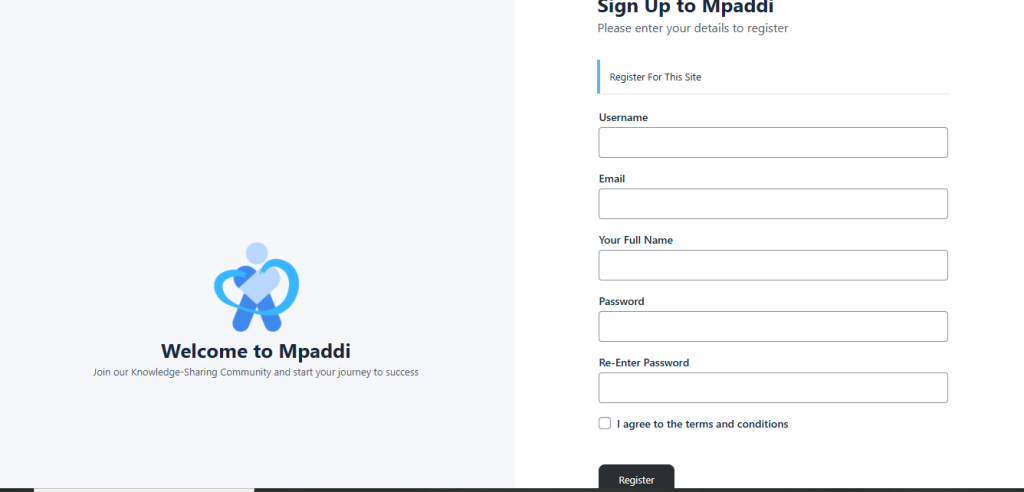
Go to the page ” Mpaddi.com .
- Click on the button in the top right corner of the site header

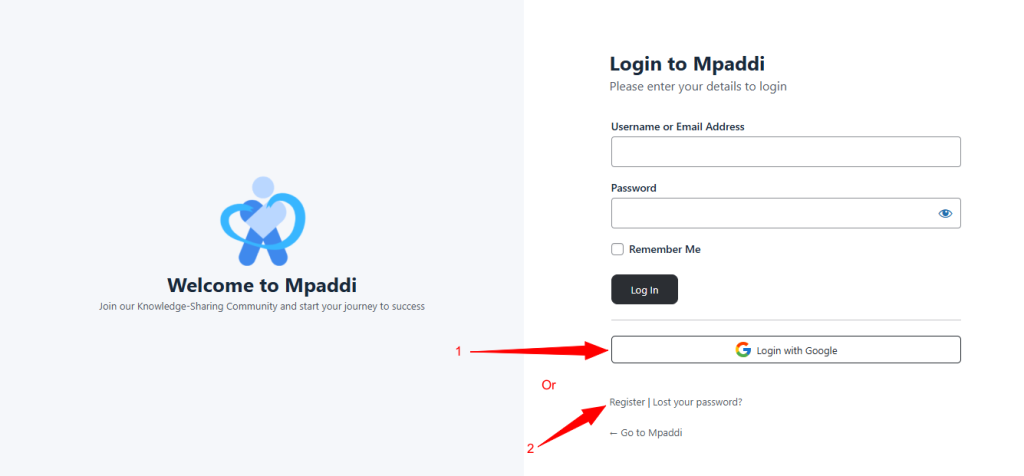
Signing with Google #
Click the “Login with Google”, choose your preferred email and you are registered.
How do I fill out the form? #
Complete the registration form by filling in the following fields:
- Enter your first and last name. (Note: this is not your login ID!)
- Enter your email address. (It is important to enter a valid email address as you will receive a code to validate your registration!)
- Enter an identifier. (This could be your username or first name, for example; this will be used in the form @identifier, useful for mentioning you)
- Enter a password (Your password must be strong; it must include numbers, lowercase letters, uppercase letters, and special characters such as “#”%£µ” for example)
- Enter your password again to confirm
- Accept the terms and conditions (Please take a moment to read the terms and conditions before checking this box)
- Click on the ” Register ” button