


FluentCommunity Video Calls (Jitsi + Zoom) 🎥📞
FluentCommunity Video Calls (Jitsi + Zoom) transforms your FluentCommunity-powered community into a complete video collaboration platform.
The plugin adds built-in video conferencing directly inside FluentCommunity Spaces, allowing community members to start and join live video calls without leaving your website.
Powered by Jitsi Meet and Zoom integration, it provides a seamless way to host community meetings, online classes, group discussions, coaching sessions, webinars, and private space conversations.
No extra accounts are required for Jitsi. No complicated setup. Just enable video calls inside your FluentCommunity spaces and start connecting.
About The Plugin
FluentCommunity Video Calls is designed for communities, membership sites, online schools, coaching platforms, and organizations using FluentCommunity.
Instead of sending users to external platforms, this plugin keeps your members engaged inside your own WordPress community.
Each FluentCommunity space can have its own dedicated video room, with controls for administrators and moderators.
Whether you are running:
- Online communities
- Membership platforms
- Learning communities
- Coaching groups
- Team collaboration spaces
- Private discussion groups
this plugin adds real-time communication directly into your platform.
Key Features
🎥 Built-in Video Calls Inside FluentCommunity
Add video conferencing directly into FluentCommunity spaces.
Members can:
- Join live calls
- Communicate through video and audio
- Share screens
- Chat during meetings
- Collaborate in real time
Jitsi Meet Integration
Uses Jitsi Meet technology for free video conferencing.
Features:
- No Jitsi account required
- No API key required
- No external registration
- Works with public Jitsi servers
- Supports self-hosted Jitsi servers
- Supports 8x8 JaaS JWT authentication
Zoom Integration
Connect your FluentCommunity spaces with Zoom meetings.
Includes support for:
- Zoom meeting creation
- Scheduled meetings
- Zoom meeting indicators
- Zoom recording handling
- Zoom API integration framework
Per-Space Video Call Controls
Each FluentCommunity space can have independent settings.
Admins can:
- Enable/disable video calls per space
- Create dedicated rooms
- Configure meeting behavior
- Control availability
Automatic Meeting Room Creation
The plugin automatically generates unique video rooms based on:
- Website URL
- FluentCommunity space slug
- Space identity
This prevents room conflicts and keeps every community space separated.
Custom Room Names
Administrators can customize meeting rooms.
Options include:
- Custom room names
- Private rooms
- Password-protected meetings
Full Screen Embedded Video Experience
Members can join calls directly inside your community.
Supports:
- Embedded video call pages
- Full-screen experience
- New tab mode
Live Call Indicator
Community members can instantly see when a space is active.
Includes:
- LIVE badge
- Active meeting status
- Real-time call indicators
Real-Time Participant Tracking
Tracks active users inside meetings using:
- REST heartbeat system
- Browser BroadcastChannel communication
- Live room activity monitoring
Attendance Tracking
Built-in attendance monitoring.
Track:
- Participants
- Join activity
- Meeting attendance
- Participation data
Analytics Dashboard
Includes analytics tools for monitoring video activity.
Administrators can view:
- Meeting activity
- Attendance information
- Usage statistics
Role-Based Permissions
Control who can access video features.
Supports:
- Administrators
- Moderators
- Space managers
- Community members
Email Notifications
Supports community communication features including:
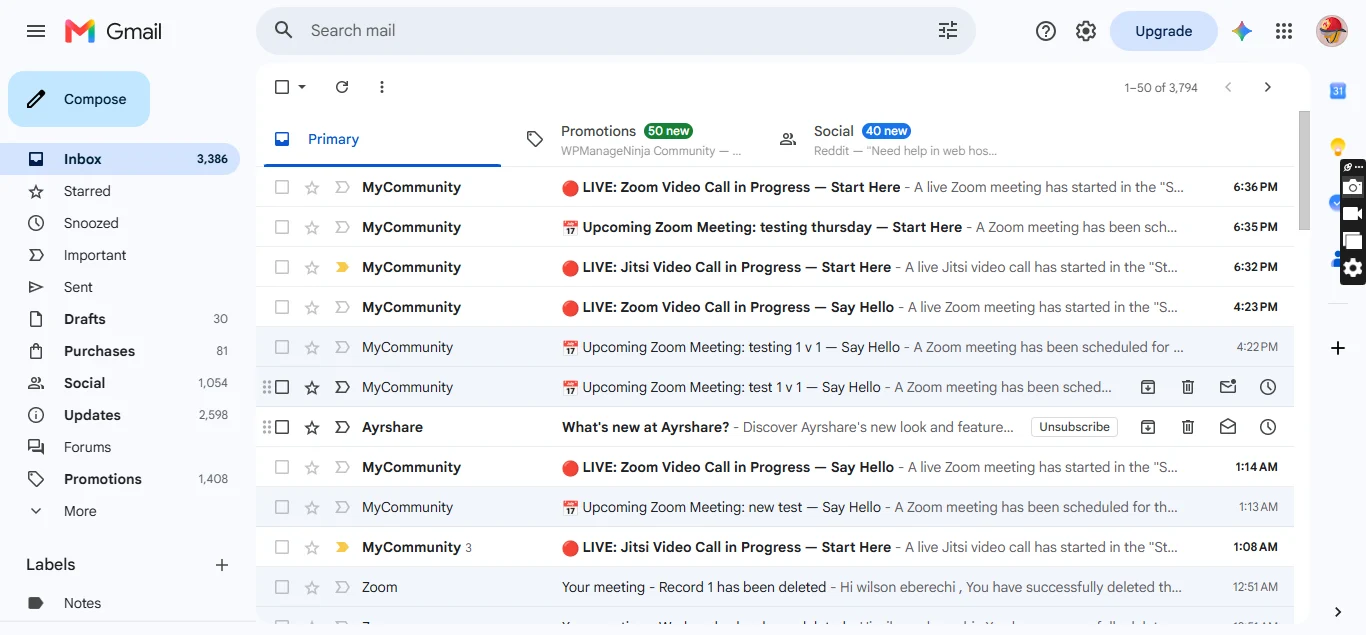
- Meeting notifications
- Space call alerts
- Member communication workflows
REST API Support
Includes custom endpoints for:
- Room information
- Active rooms
- Meeting heartbeat tracking
- Call status monitoring
Self-Hosted Friendly
Designed for flexibility.
You can use:
- Public Jitsi Meet
- Your own Jitsi server
- 8x8 JaaS infrastructure
Giving you control over privacy, performance, and scaling.
Benefits
Keep Users Inside Your Community
No more sending members to:
- Zoom links
- Google Meet
- External platforms
Everything happens inside your FluentCommunity website.
Increase Community Engagement
Live video creates stronger communities through:
- Real conversations
- Group interaction
- Live events
- Better member retention
Perfect For Online Learning
Ideal for:
- Courses
- Workshops
- Training groups
- Study communities
- Coaching programs
Reduce Platform Costs
Using Jitsi means:
- No expensive video subscriptions
- No required accounts
- No per-user licensing fees
Better Privacy Control
With self-hosted Jitsi support, you can control:
- Data location
- Infrastructure
- Security
- Branding
Use Cases
Online Communities
Create live discussion rooms inside your spaces.
Membership Websites
Give premium members private video rooms.
Online Schools
Host classes and live lessons.
Coaching Platforms
Run private coaching calls.
Remote Teams
Create internal collaboration spaces.
Events & Webinars
Host live community events.
Requirements
- WordPress 6.0+
- PHP 7.4+
- FluentCommunity installed
- Jitsi Meet or Zoom configuration
https://www.youtube.com/watch?v=jA-YaSh92SY
image 1:
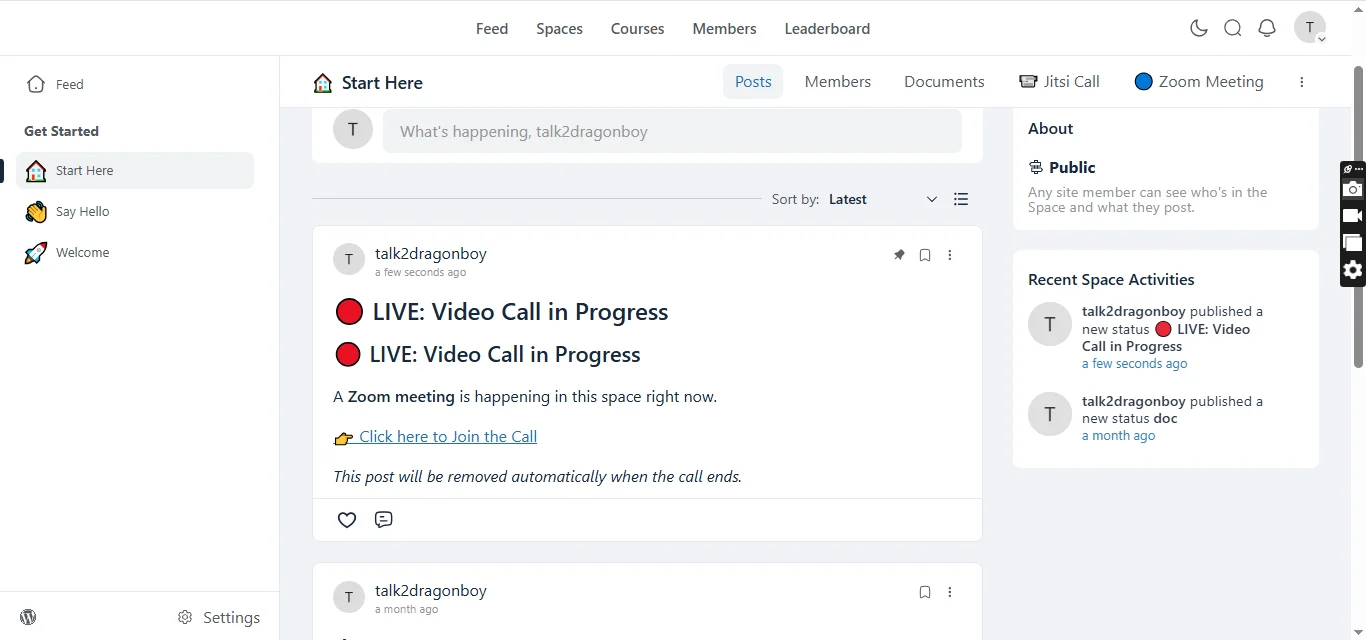
image 2:
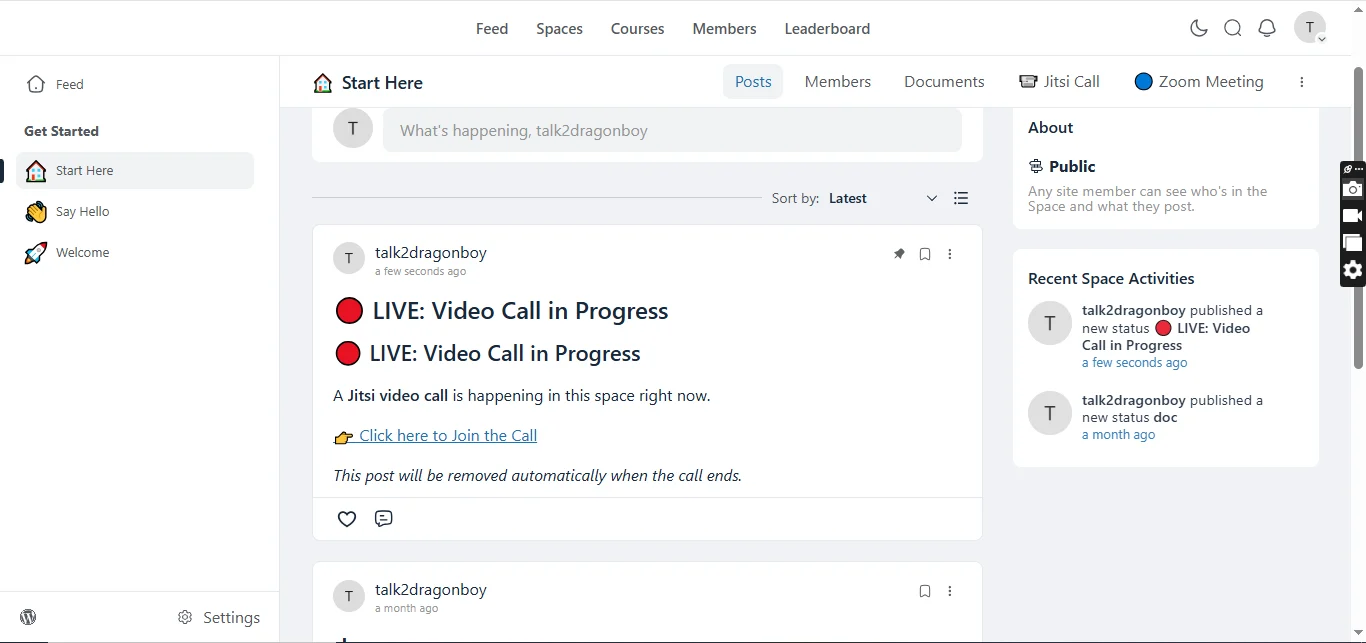
image 3:
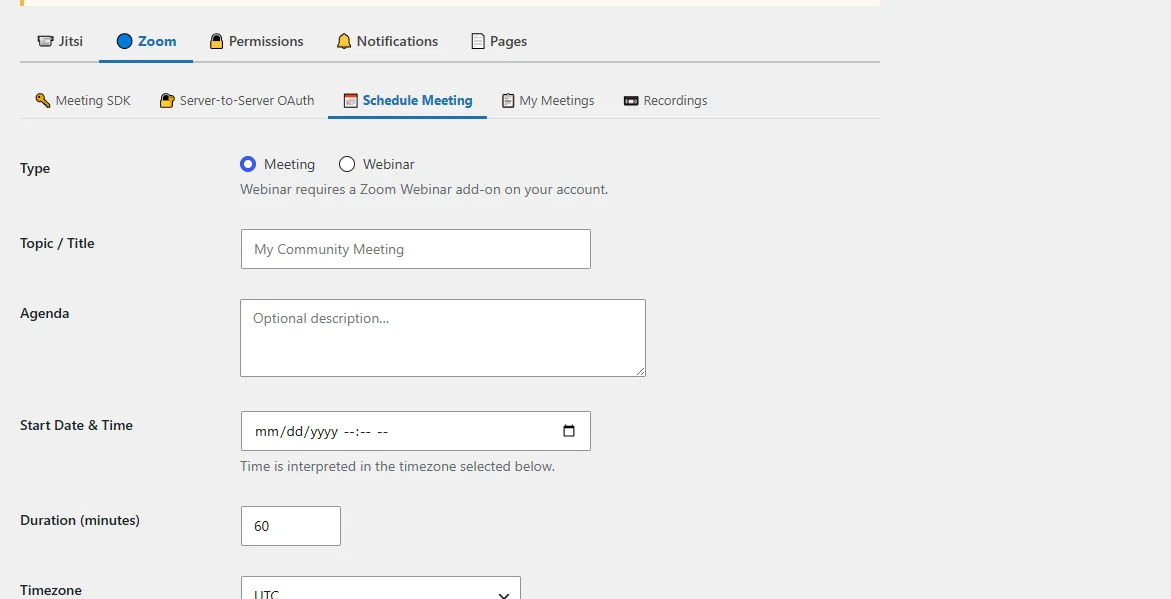
image 4:
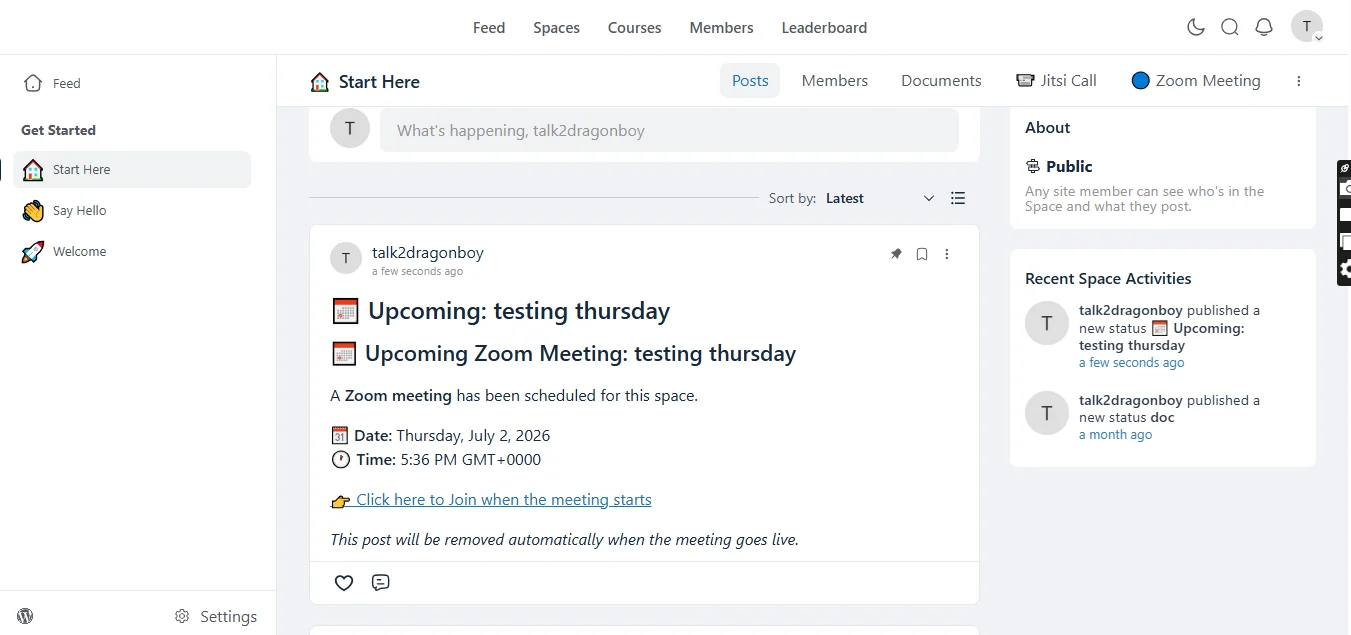
image 5:
Why Choose FluentCommunity Video Calls?
Unlike standalone video plugins, this plugin is built specifically around FluentCommunity.
It connects your community spaces with live communication tools, creating a complete social learning and collaboration environment.
Your members don't just join a website — they join a connected community.