

FluentCommunity Video Calls v4.0.0 🎥📞🔴
Jitsi • Zoom • Google Meet • Webex • Whereby • Live Tips • Analytics
✨ New: Hosts can earn money during live sessions with the built-in Live Tips feature, allowing members to send instant tips and donations while meetings are in progress.
Perfect for coaches, creators, educators, consultants, and community owners who want to host meetings and monetize live events—all without leaving their community.
Bring meetings, classes, coaching sessions, webinars, and real-time collaboration directly into your FluentCommunity-powered website.
FluentCommunity Video Calls is a powerful video conferencing add-on built exclusively for FluentCommunity. It enables community members to create, schedule, join, and manage live meetings without leaving your website.
With support for Jitsi Meet, Zoom, Google Meet, Cisco Webex, and Whereby, you can choose the provider that best fits your community while keeping every meeting connected to your FluentCommunity Spaces.
Beyond video conferencing, the plugin introduces live tipping, attendance tracking, meeting analytics, provider scheduling, live meeting indicators, embedded meeting pages, and advanced space-level controls, making it one of the most complete communication solutions available for FluentCommunity.
About The Plugin
FluentCommunity Video Calls transforms every FluentCommunity Space into a modern collaboration hub.
Whether you're running a membership website, online school, coaching platform, private community, remote team, or customer portal, members can communicate through live video meetings without being redirected to external websites.
Administrators can decide which provider each Space uses, configure permissions, schedule meetings, monitor participation, and even allow members to financially support hosts during live sessions through integrated tipping.
Everything stays organized inside FluentCommunity, creating a seamless community experience.
What's New
This release introduces major upgrades that significantly expand the plugin beyond traditional video meetings.
New Multi-Provider Support
Choose from multiple meeting providers:
- Jitsi Meet
- Zoom
- Google Meet
- Cisco Webex
- Whereby
Each provider includes its own scheduling tools, meeting indicators, and provider-specific integrations.
Live Tips & Creator Support
Members can financially support meeting hosts while sessions are live(Only for Jitsi, Zoom & Whereby).
Perfect for:
- Coaches
- Trainers
- Teachers
- Content creators
- Mentors
- Guest speakers
- Community events
Features include:
- Live tipping
- Real-time notifications
- Tip history
- Meeting tip records
- Host earnings support
- Fluentcart is needed for Live Tip
Google Meet Integration
Create and manage Google Meet sessions directly inside FluentCommunity.
Includes:
- Scheduled meetings
- Meeting links
- Calendar-ready scheduling
- Live indicators
- Space integration
Cisco Webex Integration
Host professional meetings with Webex.
Supports:
- Scheduled meetings
- Meeting management
- Space integration
- Live meeting status
Whereby Integration
Simple browser-based meetings with Whereby.
Features include:
- Embedded rooms
- Scheduled sessions
- Live indicators
- Easy member access
Core Features
Multiple Video Providers
Unlike traditional meeting plugins, you are not locked into a single provider.
Supported platforms include:
- Jitsi Meet
- Zoom
- Google Meet
- Cisco Webex
- Whereby
Each Space can be configured independently.
Native FluentCommunity Experience
Members never have to search through emails for meeting links.
Everything lives inside your community:
- Meeting pages
- Space announcements
- Live badges
- Join buttons
- Meeting history
- Activity updates
One-Click Meeting Creation
Create meetings directly from FluentCommunity.
Perfect for:
- Community discussions
- Live classes
- Weekly meetings
- Team collaboration
- Workshops
- Office hours
Meeting Scheduling
Schedule meetings in advance with supported providers.
Members instantly know:
- Date
- Time
- Provider
- Meeting status
- Join availability
Live Meeting Indicators
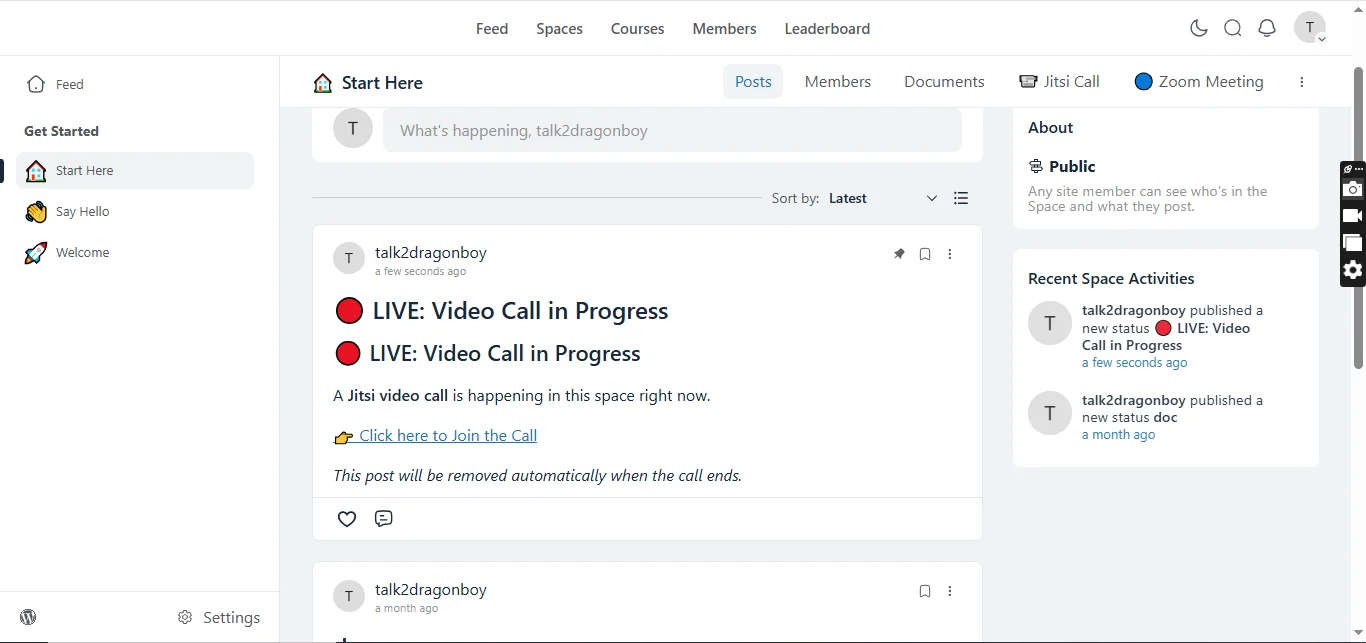
Community members immediately see when a Space is active.
Displays include:
- LIVE badge
- Scheduled meeting badge
- Active meeting status
- Join now button
Attendance Tracking
Automatically monitor meeting participation.
Track:
- Join time
- Attendance
- Active participation
- Meeting history
Embedded Video Experience
Meetings can open:
- Embedded inside FluentCommunity
- Dedicated meeting pages
- Full-screen mode
- New browser tab
Per-Space Controls
Every Space can have its own configuration.
Administrators can:
- Enable or disable meetings
- Select meeting provider
- Configure room settings
- Restrict permissions
- Customize meeting behavior
Provider Scheduling
Schedule meetings for:
- Zoom
- Google Meet
- Webex
- Whereby
Keep members informed without leaving FluentCommunity.
Automatic Meeting Rooms
Automatically generate unique rooms based on your Space identity.
Benefits include:
- No room conflicts
- Cleaner organization
- Better privacy
- Consistent meeting links
Custom Room Names
Create memorable meeting rooms.
Supports:
- Custom names
- Private rooms
- Protected rooms
- Organization branding
Live Notifications
Keep members informed with automatic updates.
Notifications include:
- Meeting scheduled
- Meeting starting
- Live session alerts
- Provider updates
- Community announcements
Meeting Analytics
Understand how your community uses live meetings.
View:
- Meeting activity
- Attendance statistics
- Provider usage
- Active Spaces
- Community engagement
REST API
Developer-friendly REST endpoints make it easy to extend the plugin.
Includes APIs for:
- Meeting status
- Room information
- Heartbeats
- Active sessions
- Provider data
Role-Based Permissions
Control access using FluentCommunity roles.
Support for:
- Administrators
- Moderators
- Space managers
- Members
Self-Hosted Ready
Choose the deployment that matches your infrastructure.
Supports:
- Public Jitsi
- Self-hosted Jitsi
- 8x8 JaaS
- Cloud providers
Benefits
Keep Members Engaged
Instead of sending users across multiple services, every meeting stays connected to your community.
Support Multiple Meeting Platforms
Different organizations use different providers.
This plugin lets you choose the right platform without changing your community workflow.
Monetize Live Events
Allow community members to support hosts through live tips.
Perfect for:
- Paid communities
- Coaches
- Educators
- Creators
- Mentors
Improve Community Engagement
Real-time conversations increase:
- Member retention
- Participation
- Learning outcomes
- Community activity
Built for Learning Platforms
Excellent for:
- Online schools
- Membership sites
- Training organizations
- Coaching businesses
- Study groups
Enterprise Ready
Use enterprise-grade providers like:
- Zoom
- Webex
- Google Meet
or choose the flexibility of:
- Jitsi
- Whereby
Flexible Deployment
Run meetings using free public services or your own infrastructure for complete control over branding, privacy, and performance.
Perfect For
- Online Communities
- Membership Websites
- Coaching Businesses
- Learning Management Systems
- Universities
- Schools
- Study Groups
- Corporate Teams
- Customer Communities
- Internal Collaboration
- Webinars
- Live Workshops
- Community Events
- Support Communities
- Creator Communities
Requirements
- WordPress 6.0+
- PHP 7.4+
- FluentCommunity
- At least one configured meeting provider
Changelog
Version 4.0.0
New
- Added Google Meet integration
- Added Cisco Webex integration
- Added Whereby integration
- Added live tipping system for meeting hosts
- Added meeting tip notifications
- Added tip recording and history
- Added provider-specific schedulers
- Added Google Meet scheduled meeting indicators
- Added Webex scheduled meeting indicators
- Added Whereby scheduled meeting indicators
- Added Whereby live meeting indicator
- Expanded provider management framework
- Improved meeting analytics
- Enhanced REST API support
- Improved permission handling
- Better room management utilities
- Improved meeting status tracking
Improved
- Faster provider loading
- Better meeting scheduling workflow
- Improved Space integration
- Better meeting management
- Enhanced administrator controls
- Improved user experience
- Optimized performance
- Cleaner provider architecture
Fixed
- Various UI improvements
- General stability improvements
- Improved compatibility with newer FluentCommunity versions
- Minor bug fixes and code optimizations
🎉 Launch Offer: Get it for just $50 Lifetime Deal(unlimited years, unlimited sites, 5 years full support and updates), if you're among the first 10 buyers. After that, the price increases.
https://www.youtube.com/watch?v=nZolSvG4TYE
👇👇Grab yours now
Don't miss your chance to be one of the first 10!
https://www.youtube.com/watch?v=jA-YaSh92SY
Image 1:
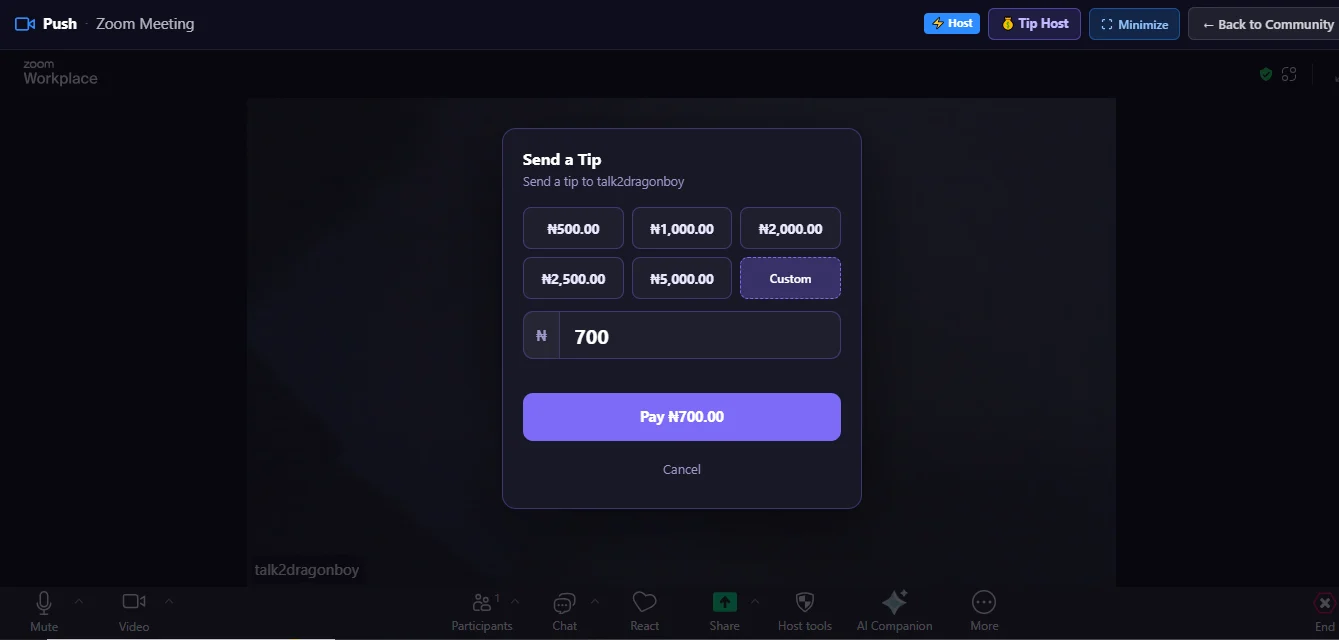
Image 2:
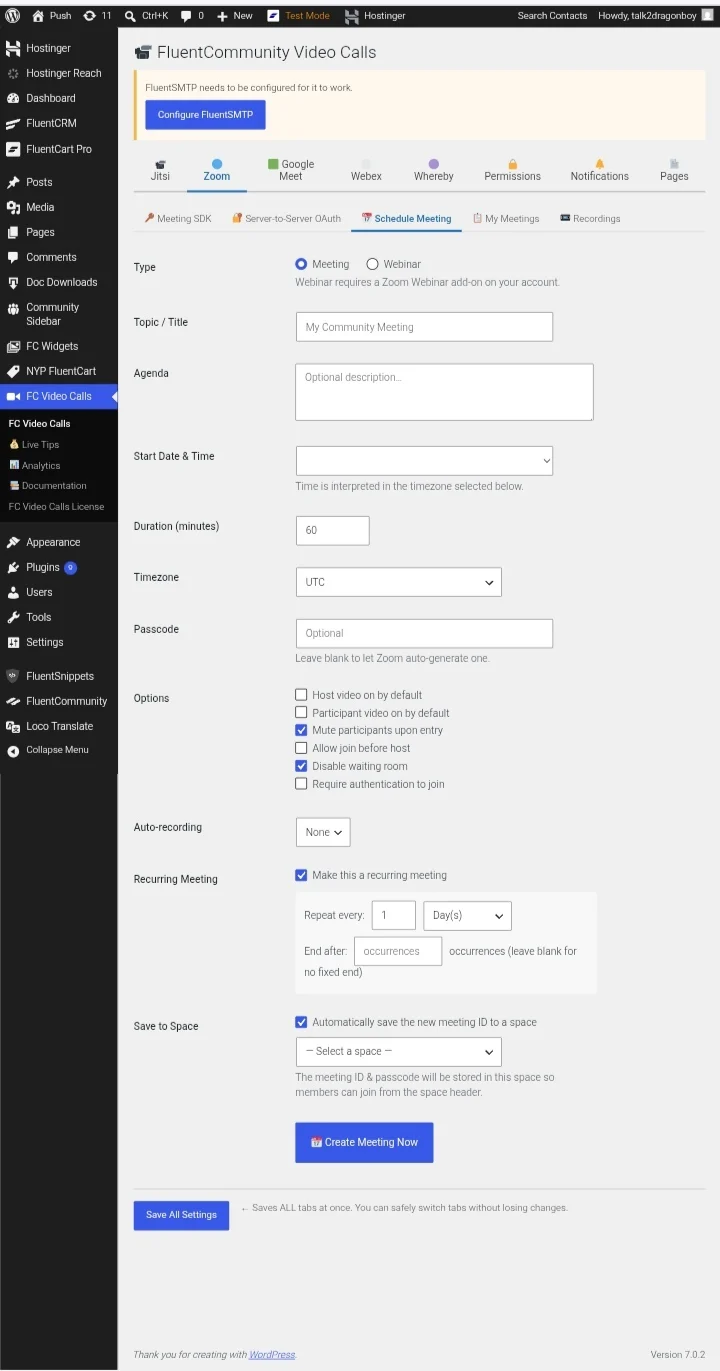
Image 3:
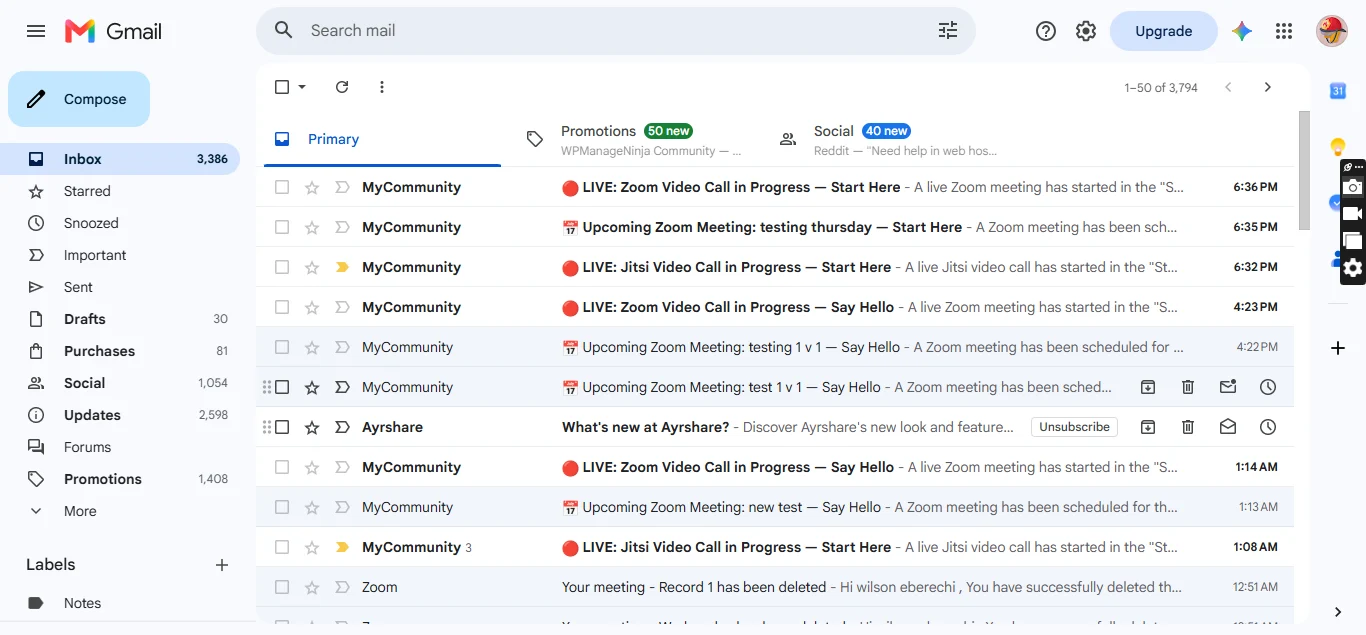
Image 4:
Why Choose FluentCommunity Video Calls ?
Unlike generic video plugins, FluentCommunity Video Calls is designed specifically for FluentCommunity.
It combines multiple conferencing providers, intelligent scheduling, embedded meeting experiences, attendance tracking, analytics, and creator monetization into a single solution that feels like a native part of your community.
Whether you're hosting a classroom, coaching session, private mastermind, company meeting, or community event, everything happens where your members already are—inside FluentCommunity.

Is there any written documentation, or just the videos? Tks

Cyber C yes there is documentation